

Support
Using WeTransfer
To transfer your digital files to us go to https://wetransfer.com
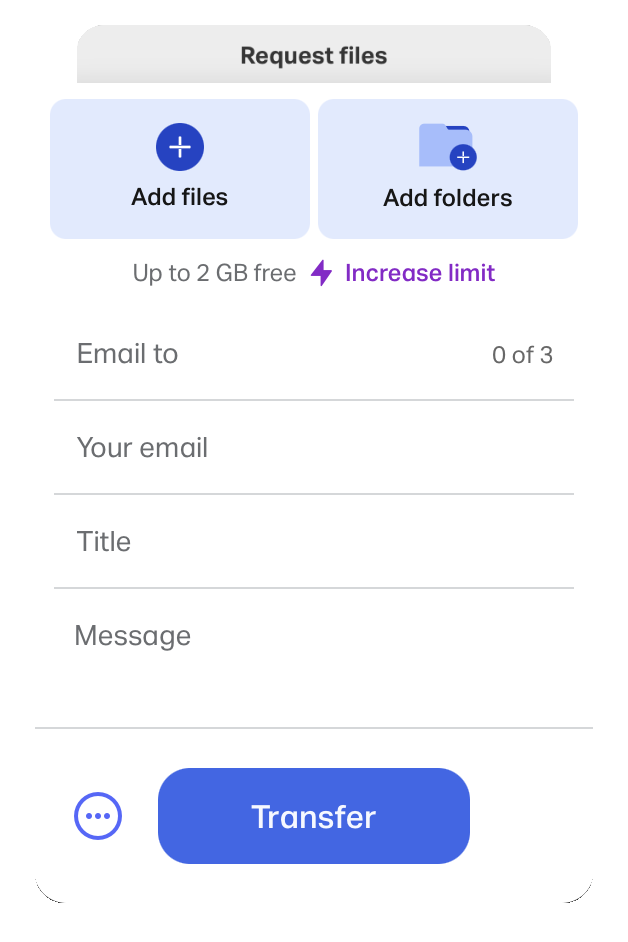
- Click Add Files to upload individual photos or music Or click Add Folders to upload a folder of photos or music.
- Email to info@meetinghousemedia.com.au
- Enter your email address.
- Type deceased name in Title.
- Add a message if necessary.
- Hit ‘Transfer’ and WAIT until your transfer is 100% complete before you close your web browser. This could take a few minutes if you are sending large files/videos.
NOTE: If you do not have a WeTransfer account, then a verification email will be sent to you. Copy the verification code, paste it in the transfer window, and hit verify!